
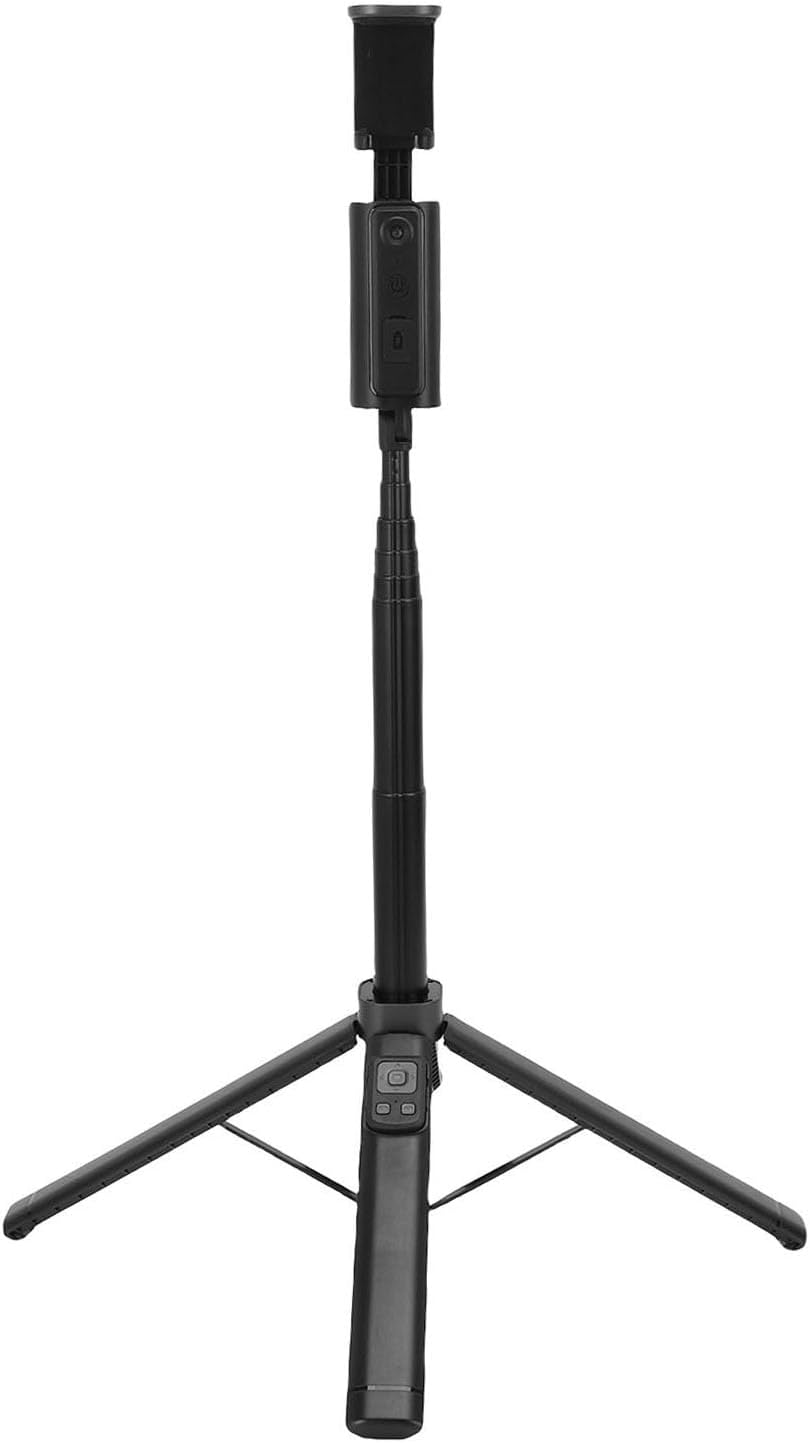
GOWENIC Extendable 1.5m Selfie Stick Quadripod, Hidden Collapsible Design with 360 Rotation, AI Face Tracking & Gesture Control
Product details
| Management number | 215179113 | Release Date | 2026/04/12 | List Price | $17.35 | Model Number | 215179113 | ||
|---|---|---|---|---|---|---|---|---|---|
| Category | |||||||||
1. AI Smart Tracking: Equipped with an AI chip that automatically recognizes faces, front, back, and sides. Enables 360° automatic rotation and tracking without manual adjustment, keeping you always centered in the frame. 2. Four Controls: Supports four remote gesture commands for starting, stopping tracking, taking photos, and switching angles. Operate your device accurately from a distance without approaching it. 3. 360° Multi Angle Photography: The phone clamp rotates vertically and horizontally, supporting overhead, low angle, and panoramic photography. This versatile stick handles various creative angles effortlessly, suitable for both casual selfies and professional video production. 4. Multifunctional Bluetooth Remote: Includes a 7 key Bluetooth remote for photo taking, video recording, camera switching, scrolling through, giving a like. This device effectively liberates your hands and makes it ideal for live streamers, and short video creators. 5. Multi Scenario Use: Features an extendable pole for taking wide angle landscape photos and group photos. The base with anti slip pads ensures stable outdoor filming. Ideal for remote selfies, live commerce, video conferences, and various creative scenarios. Specification: Item Type: Phone Selfie Stick Quadripod Material: ABS, Carbon Alloy Minimum Height: 31cm / 12.2in Extended Height: 150cm / 59.1in Phone Clamp Range: 47-93mm / 1.9-3.7in Remote Battery Capacity: Li Battery 120mAh (Built in) How to Use: Refer to the manual. PackageList: 1 x Selfie Stick Quadripod 1 x USB Cable 1 x Instruction Manual
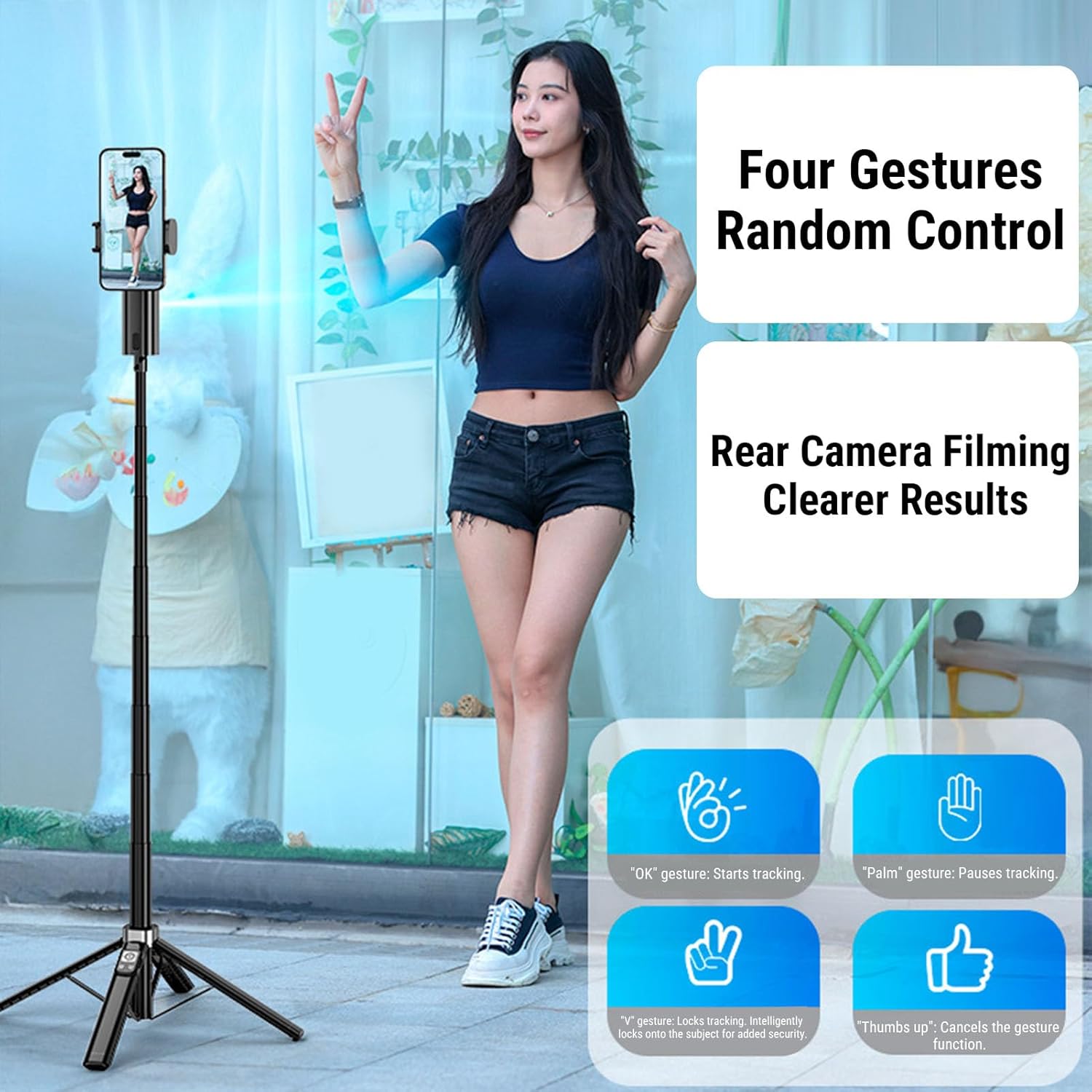
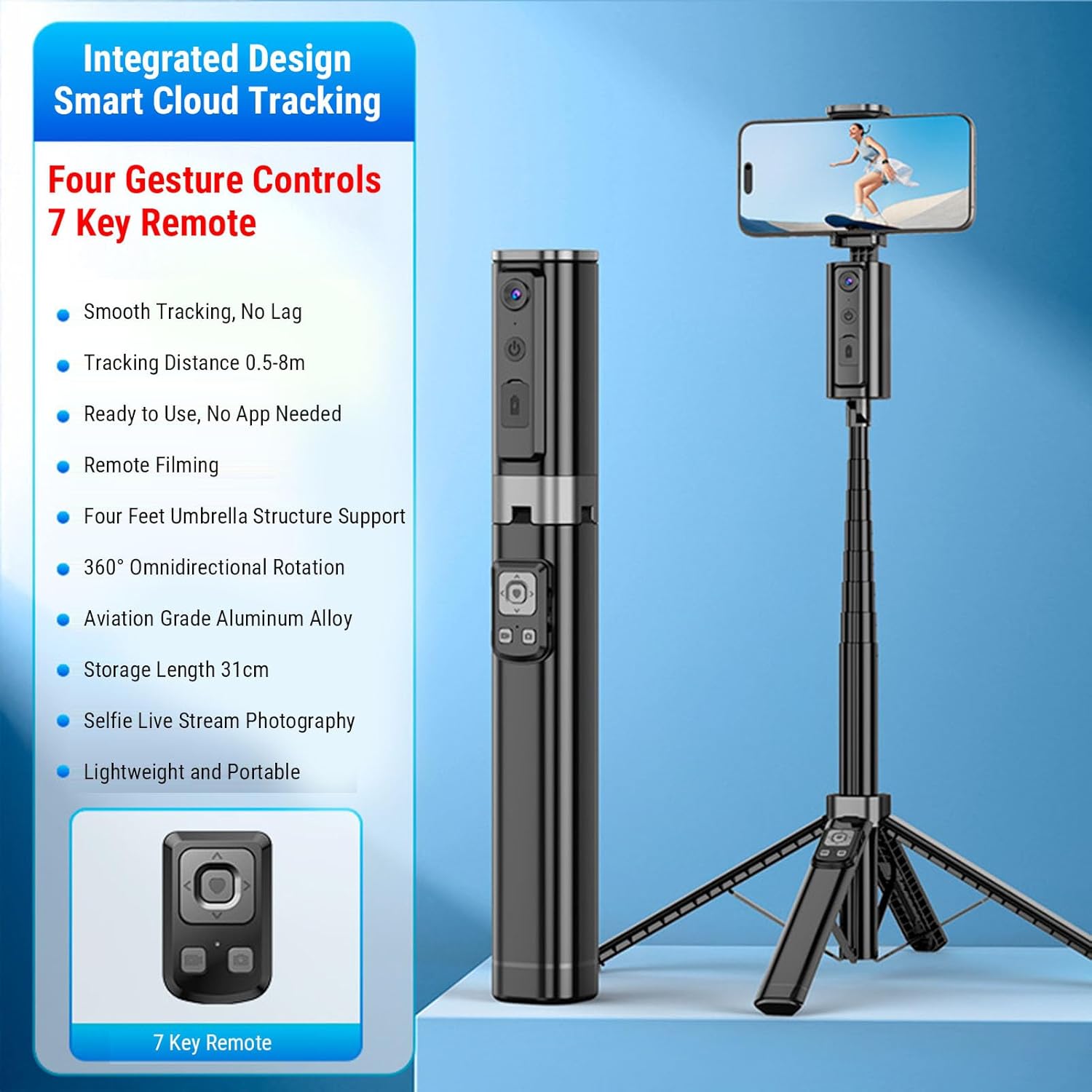
- AI Smart Tracking: Equipped with an AI chip that automatically recognizes faces, front, back, and sides. Enables 360° automatic rotation and tracking without manual adjustment, keeping you always centered in the frame.
- Four Controls: Supports four remote gesture commands for starting, stopping tracking, taking photos, and switching angles. Operate your device accurately from a distance without approaching it.
- 360° Multi Angle Photography: The phone clamp rotates vertically and horizontally, supporting overhead, low angle, and panoramic photography. This versatile stick handles various creative angles effortlessly, suitable for both casual selfies and professional video production.
- Multifunctional Bluetooth Remote: Includes a 7 key Bluetooth remote for photo taking, video recording, camera switching, scrolling through, giving a like. This device effectively liberates your hands and makes it ideal for live streamers, and short video creators.
- Multi Scenario Use: Features an extendable pole for taking wide angle landscape photos and group photos. The base with anti slip pads ensures stable outdoor filming. Ideal for remote selfies, live commerce, video conferences, and various creative scenarios.
| Brand | GOWENIC |
|---|---|
| Model Name | GOWENIC198f6rc7x4 |
| Manufacturer | GOWENIC |
| BuiltIn Media | no |
| Compatible Devices | laptop |
| Warranty Description | manufacturer warranty for 90 day |




Bestseller ranking
Selfie Sticks


Customers who viewed this product also viewed
Pipe Clamps




Correction of product information
If you notice any omissions or errors in the product information on this page, please use the correction request form below.
Correction Request Form